
Ghent, Belgium - September 18, 2026
Luceda Photonics today announced the release of Luceda Photonics Design Platform 2026.09, delivering key enhancements to Irys DRC, improved layout visualizer navigation, smarter Placement & Routing (P&R) features, and expanded IPKISS Canvas schematic connectivity and simulation workflows. With Luceda 2026.09, Photonic Integrated Circuit (PIC) designers gain enhanced performance for layouts, and greater verification capabilities from schematic to final layout.
Key Highlights:
1. High-Performance Physical Verification with Irys DRC
- Targeted Rule Checking: Designers can now run specific subsets of a foundry deck, either by selecting/deselecting individual rules, directly within the Luceda Layout Visualizer or via Python scripts. This keeps check times short while resolving violations incrementally.
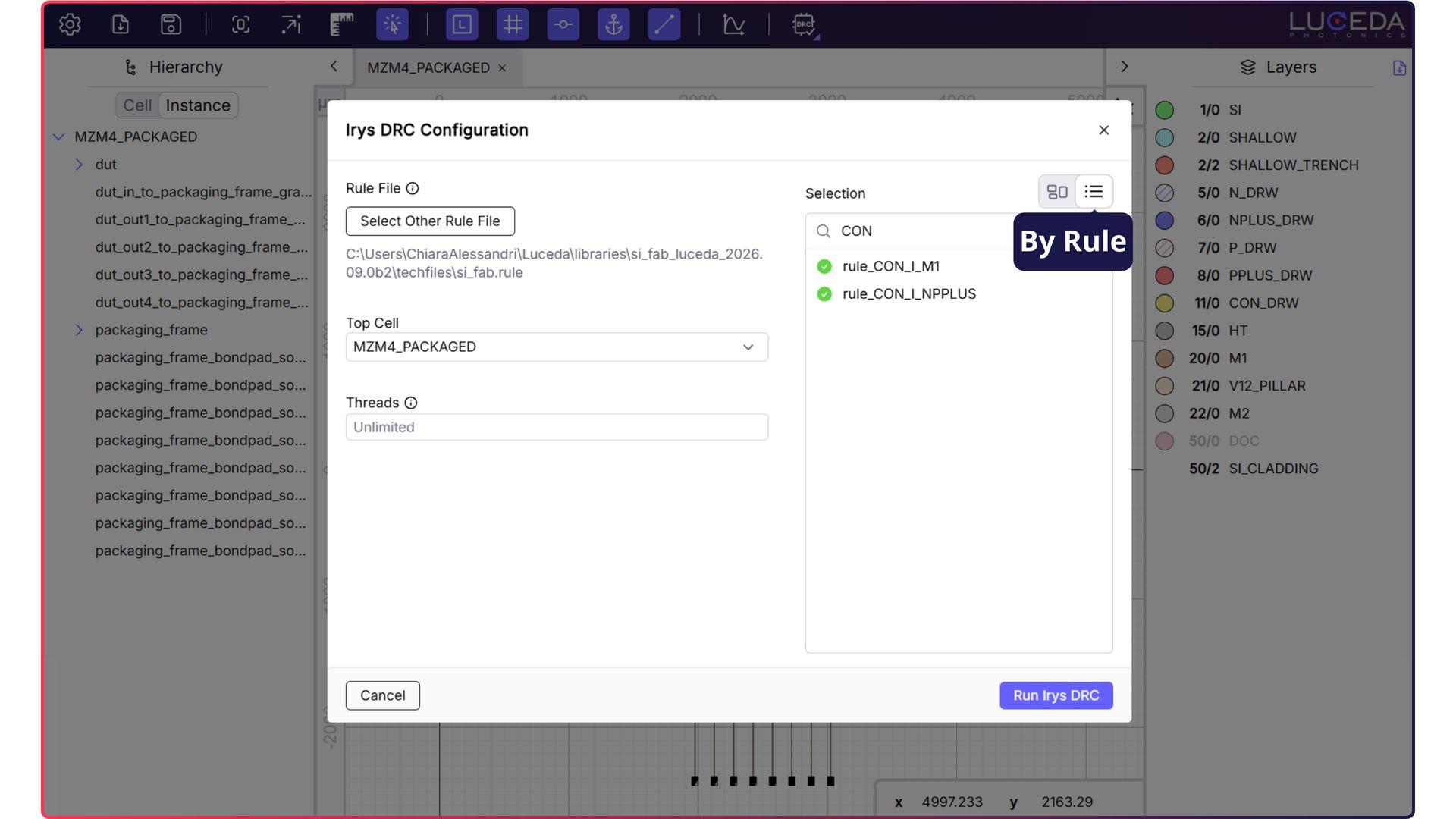
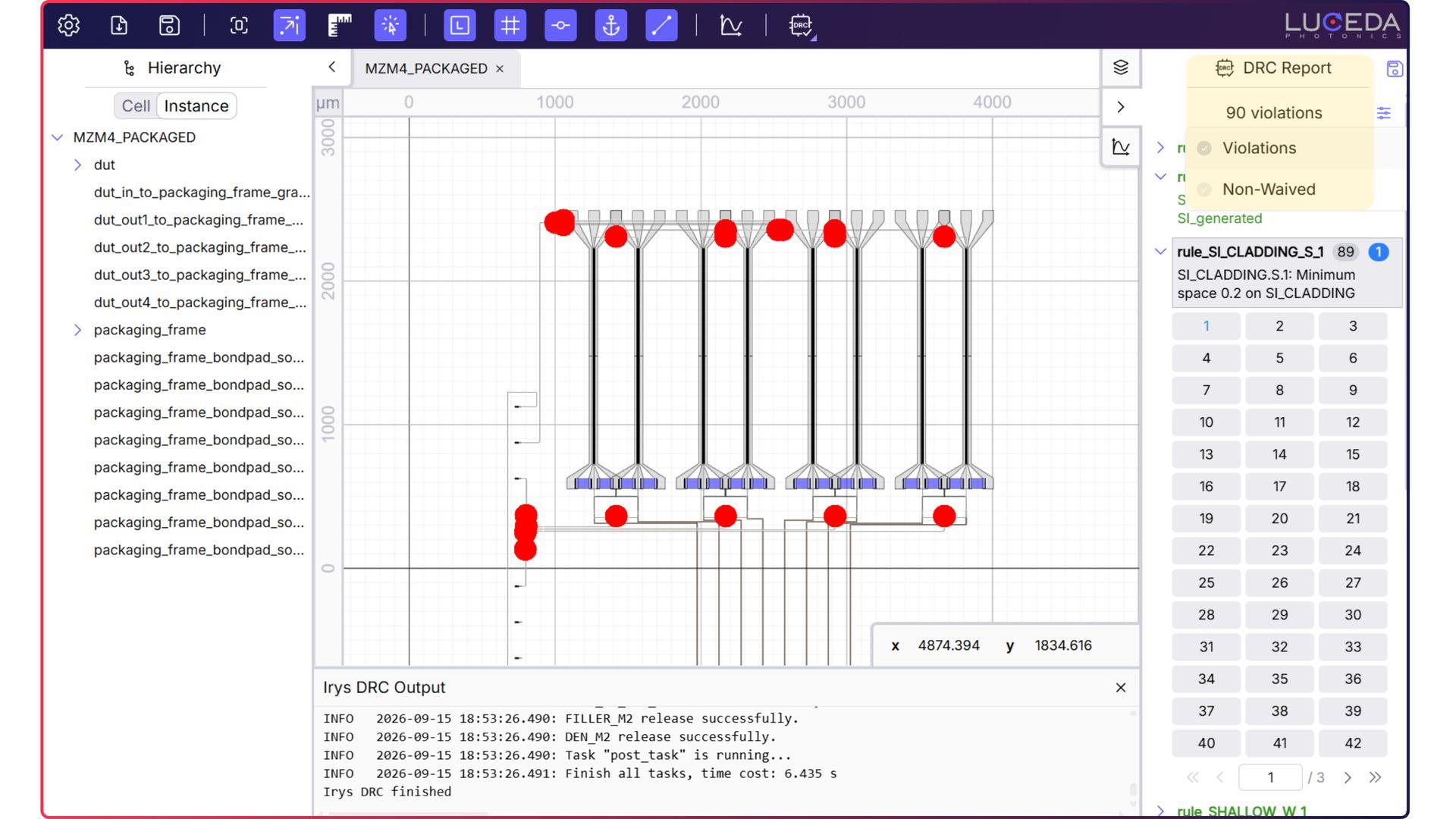
- Clear & Transparent Reports: DRC reports now explicitly list checked rules with zero violations alongside passing rules, allowing designers to verify clean results at a glance. Reports can also be filtered to display only violations or non-waived items.
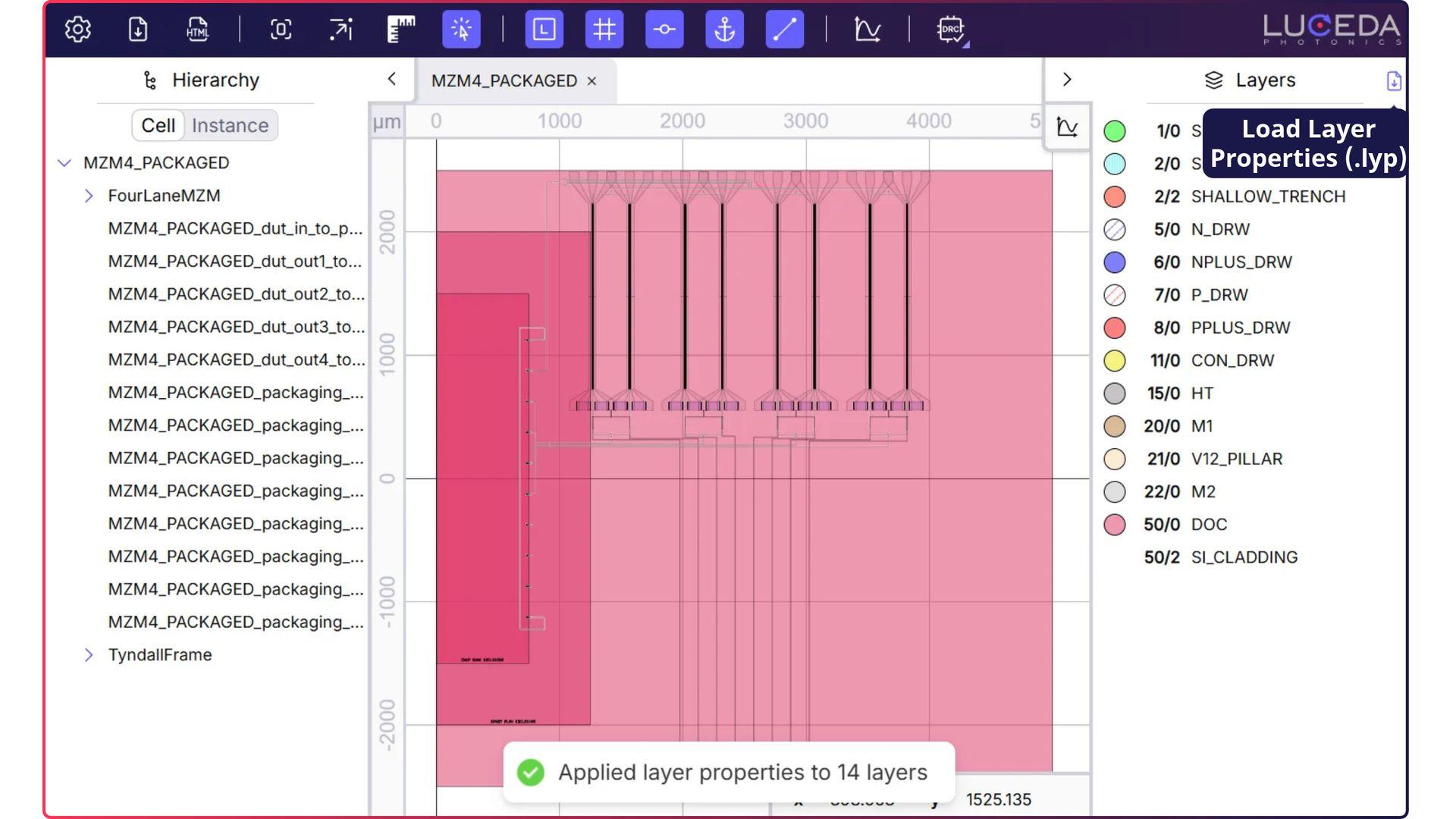
- Foundry-Styled Layer Inspection: Users can load KLayout layer properties files from the “Layers” tab to apply foundry layer names and styles and match the layers on GDSII layers and datatype directly, ensuring violation markers land on layers that are styled according to foundry documentation.
- Boundary Simplification for Large Layouts: A new Boundary Simplification Factor setting optimizes boundary detail and rendering performance, which can come in handy when reviewing full-chip DRC runs and navigating geometry.
2. Enhanced Layout Visualizer Navigation and Inspection
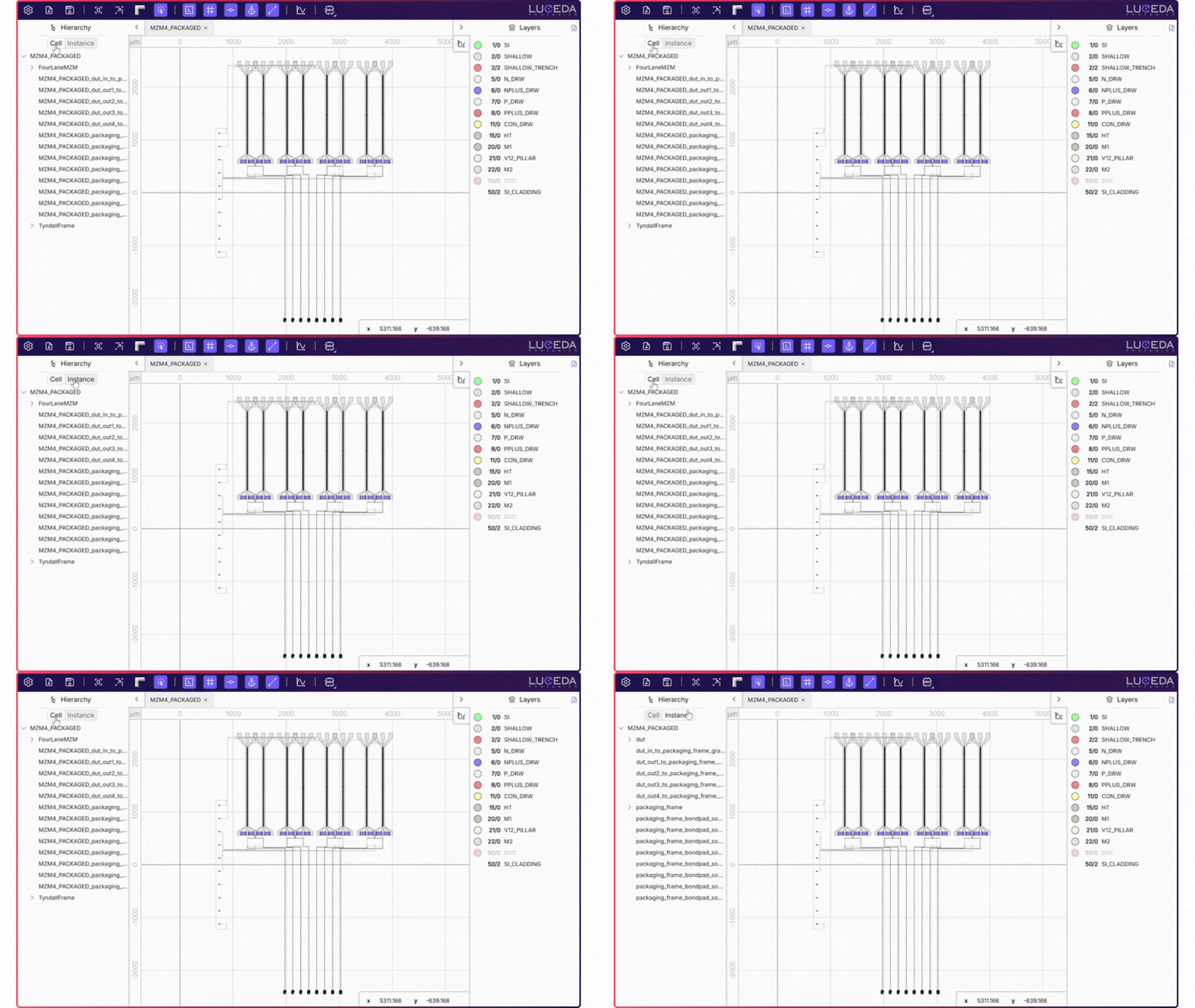
- Instance Hierarchy View: A new instance hierarchy view accompanies the cell hierarchy, providing clearer visibility into where cells are used and making layout navigation more intuitive.
- Customizable Workflow: Users can now customize keyboard shortcuts via the settings menu and easily turn instance highlighting on or off with “Highlight Instance Under Mouse” to suit their design preferences.
- Visualization: “i3.Boundary” or “i3.ElementList” can now be visualized directly using “.visualize()”, eliminating the need to wrap them in a full layout structure first.
3. Smarter P&R Features
Placement and routing tools in Luceda 2026.09 focus on minimizing optical losses, optimizing layout footprints, and providing more flexible positioning constraints:
- Skip Redundant Fanouts with “i3.NoFanout”: When port spacing is already uniform, “i3.NoFanout” allows designers to skip unnecessary fanout stages in “i3.ConnectManhattanBundle” (and related bundle connectors), reducing optical loss and footprint.
- Mixed Placement Constraints: i3.Place’s “relative_to” argument now accepts mixed relative and absolute coordinates in a single tuple, enabling one axis to remain relative while fixing the other.
- Robust Connectors & Comprehensive Reporting: Connectors such as “i3.ConnectBend” and “i3.ConnectSBend” feature more reliable route point generation and improved error handling, while “i3.path_report” can now list all traces across the circuit using “comprehensive_report=True”.
Visit “Placementand routing specifications” and “ConnectorReference” to learn more about P&R and connectors.
4. Unified Canvas & SPICE-based Circuit Simulation Flow
Schematic editing and simulation in IPKISS Canvas are now aligned with the SPICE-based circuit simulation flow:
- Enhanced Schematic Editing: Unconnected terms can be exposed directly from the context menu to make them available for connection, while interactive term highlighting on hover simplifies port connections.
- Unified SPICE Simulation: Time-domain simulations initiated from Canvas codelets go through a SPICE file, delivering proof workflow based on SPICE simulations.
- Interactive Performance: Faster processing engines in the S-matrix Visualizer and SPICE parser keep large parameter sweeps and multi-trace plots responsive and interactive.
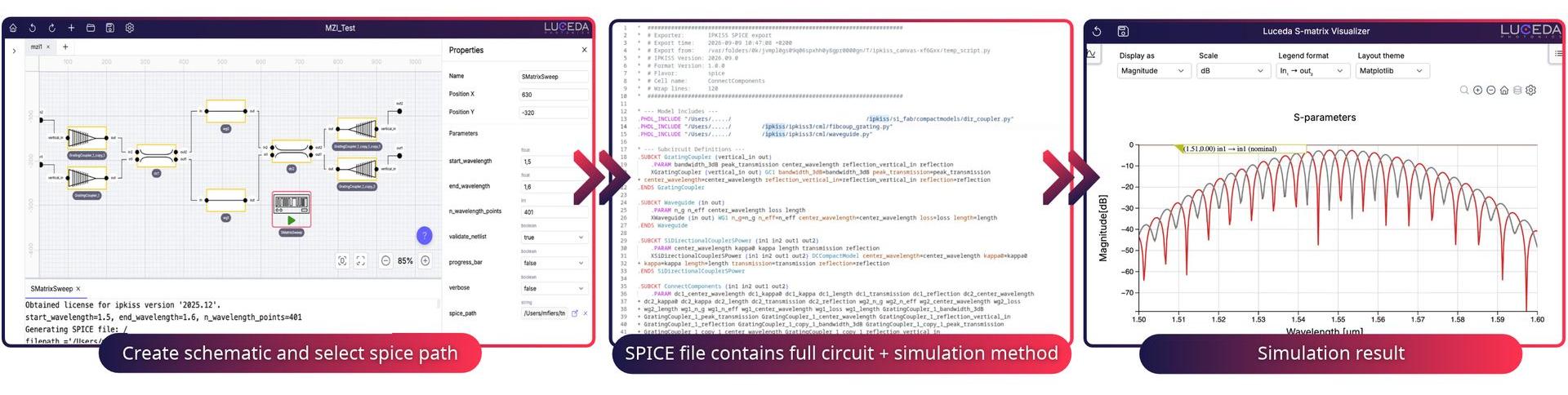
Create a schematic and select a SPICE path, export the circuit and simulation setup to a SPICE file, and
Create a schematic and select a SPICE path, export the circuit and simulation setup to a SPICE file,
and inspect S-parameter results in the S-matrix Visualizer
To learn more, check out "Running circuit simulations" and "A SPICE-Based Simulation Workflow in IPKISS" in the sample gallery.
Ready to optimize your PIC design workflow? Visit your Luceda Customer Portal to download Luceda 2026.09 today and experience a smoother path from concept to successful tape-out.
Not a Luceda customer yet? Contact us today to learn how you can leverage Luceda tools for advanced PIC design, simulation, verification, and data analytics.