
Ghent, Belgium - December 17, 2025
Luceda Photonics is proud to announce the Luceda Photonics Design Platform 2025.12, empowering PIC designers worldwide to design more efficiently, collaborate more smoothly, and gain deeper insight into their PICs from the very first iteration. This release introduces an easy PDK creation flow, a new interactive Signal Tracer, enhanced placement & routing (P&R), native dummy filling to simplify tape-out preparation, a new tutorial on fixing DRC violations, upgraded Layout Visualizer for layout navigation and inspection, enhanced collaboration via easy design sharing, and improved simulation robustness.
Key Highlights:
- Easy PDK Creation & Building: Launch Your PDK Faster Than Ever
Creating a new Luceda PDK is now streamlined with the NEW Design Kit Project wizard in the Luceda Control Center, accelerating the journey from concept to production-ready PDK.
- Quickly start populating your PDK with layers and library components.
- Inspect & verify your setup using built-in inspection routines for layers and components.
- Automatically build a full distributable (including documentation, layer files, schematic IPKISS Canvas files, and OpenAccess libraries).
If you want to easily create and validate your IP libraries and PDKs using IP Manager, check out Luceda IP Manager.
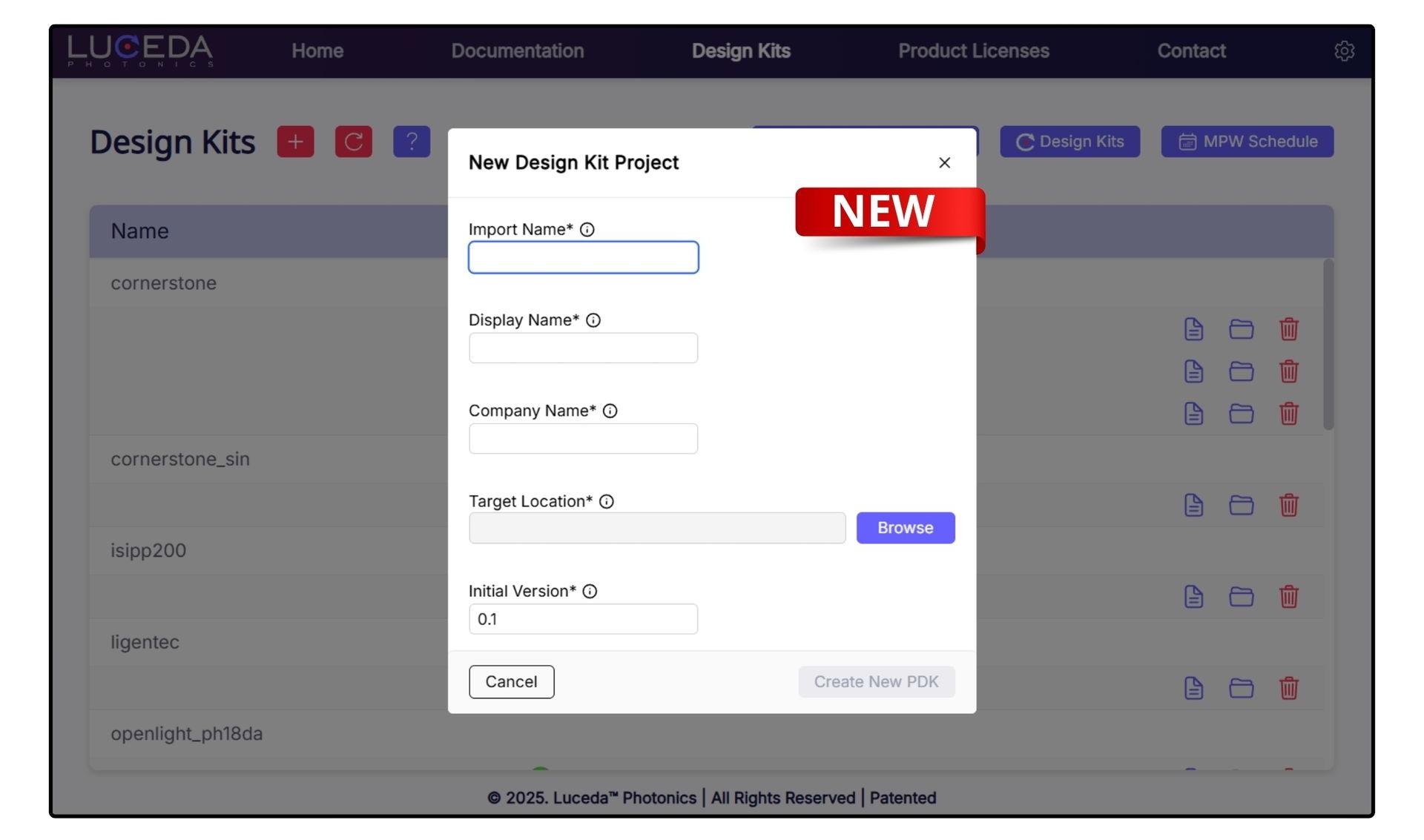 Creating a new PDK from the Luceda Control Center
2. NEW Interactive Signal Tracer: Visualize Light Propagation in Real Time
We’re excited to introduce the new Signal Tracer, a new interactive tool that allows you to view your PIC designs and simulation results simultaneously.
- View the light propagation through your circuit.
- Identify major loss mechanisms and wavelength dependence.
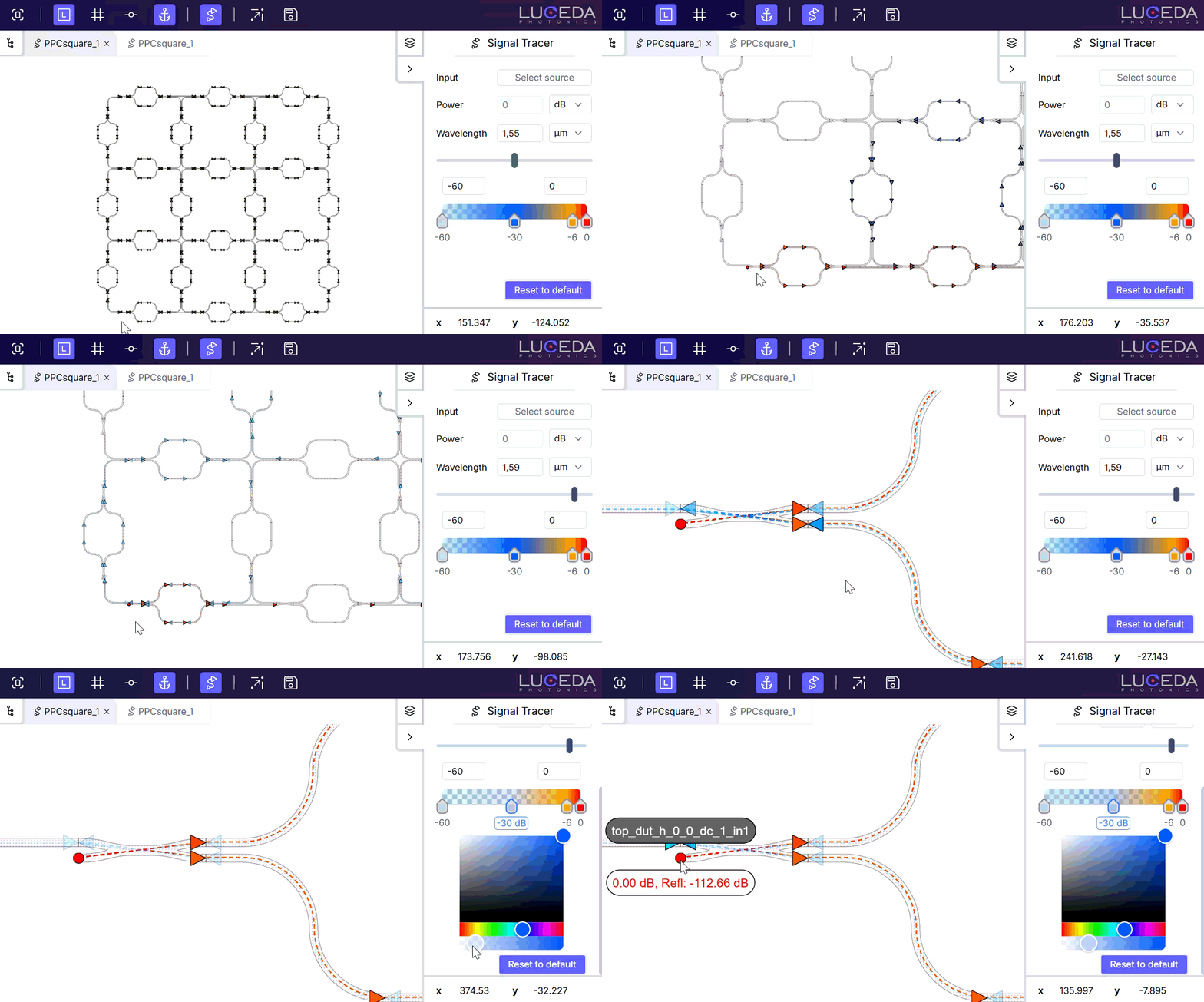
Interactive Signal Tracer showing layout + simulation.
3. Length Matching & New Placement Features: Design Faster with Smarter P&R
Two new features have been added to Placement & Routing to further automate your design flow.
- i3.MatchLength: Automate path length matching for Manhattan connectors by intelligently shifting control points, eliminating the need for manual tuning.
- i3.Distribute: Uniformly distribute a sequence of instances across a specific axis or grid using simple X/Y specifications.
4. Native Support for Dummy Filling: Streamline the Path to Your Tape-Outs
Your path to manufacturing has now been streamlined, giving you greater control over tape-out preparations directly within your everyday design environment.
- Add dummy fill directly inside IPKISS Layouts with i3.dummy_fill_layout
- Post-process any existing GDSII file with i3.dummy_fill_gdsii
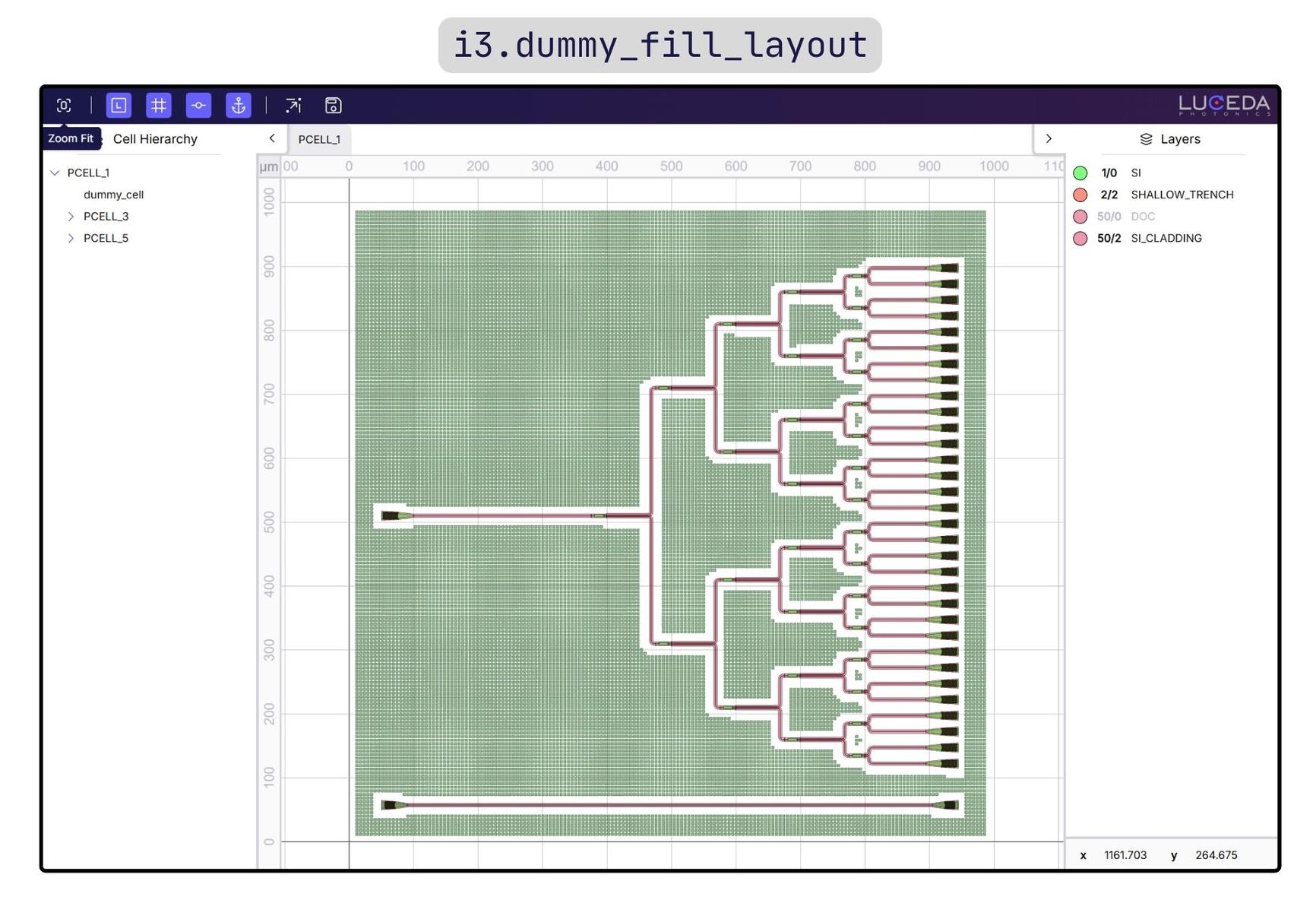
NEW TUTORIAL on Fixing DRC Violations for Well-Prepared Tape-Outs: Follow the new step-by-step guide "Tape-out preparation: fixing DRC violations" to ensure fabrication-ready PIC designs.
5. Upgraded Layout Visualizer: Leverage New Navigation & Inspection Capabilities
The updated layout visualizer introduces powerful new navigation and inspection features, allowing you to explore complex PIC layouts faster and more intuitively.
- Anchor visualization: Easily copy the instance and anchor names for use in P&R code from the layout visualizer.
- Hierarchy navigation: View and navigate the full cell hierarchy and toggle visibility for individual cells or layers to isolate specific parts of your circuit.
- Visual UX improvements: Enjoy improved zooming for grids and axes, and proper highlighting of hidden layers on mouse hover.
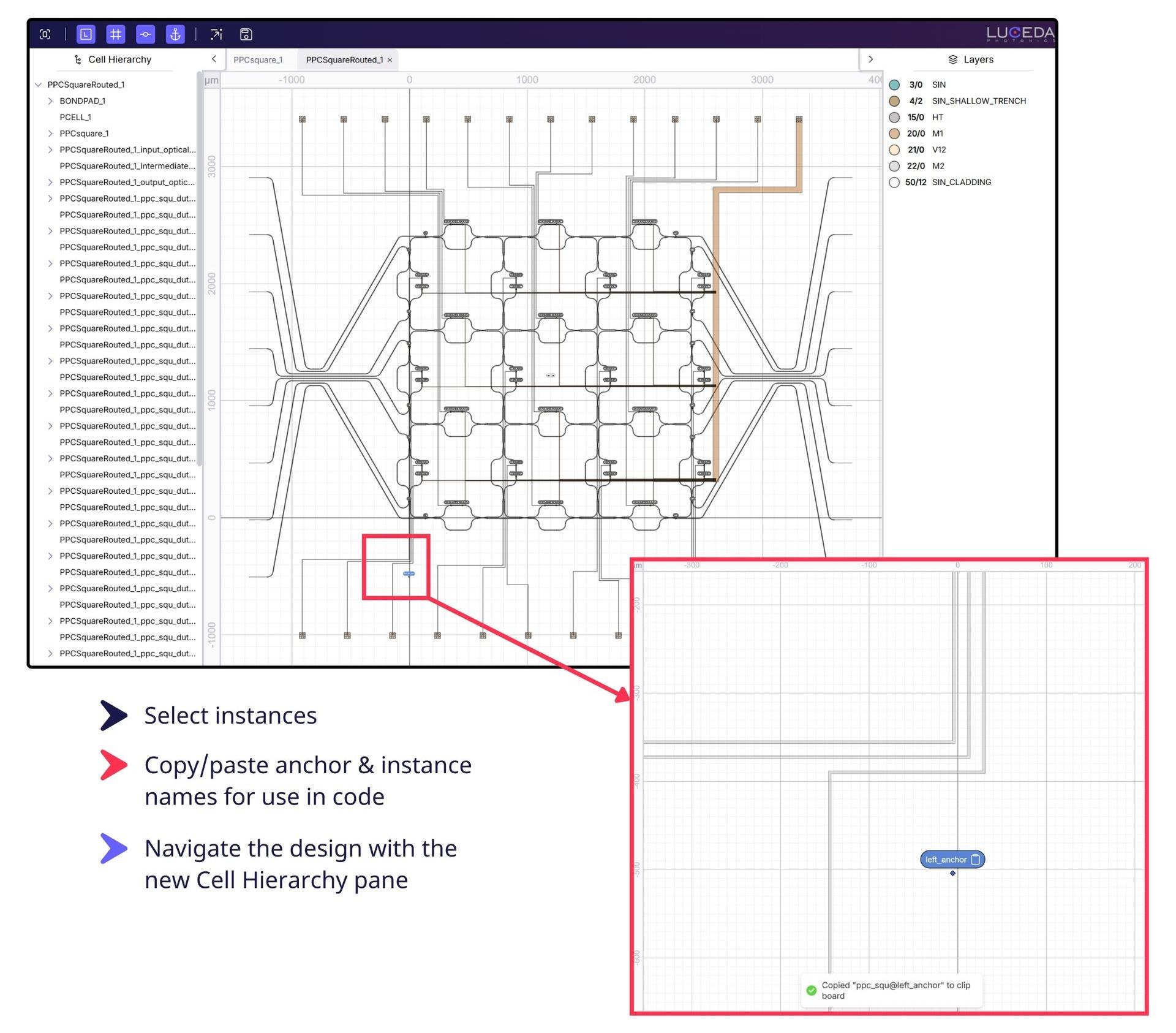 Navigating and inspecting a PIC layout with the new cell hierarchy and anchor visualization features.
6. Enhanced Collaboration via Easy Design Sharing – No License Required
Designers can now export the full visualizer state (including layout, signal tracing results, and hierarchy) to a standalone HTML file. Your colleagues can explore your designs interactively in any standard web browser, even without an active IPKISS license. This feature is especially useful for:
- Education: Explaining PIC concepts clearly in the classroom.
- Measurement teams: Showing colleagues exactly how to measure a device and what results to expect.
- Collaboration: Sharing interactive designs with colleagues and partners for immediate feedback.
7. Improved Simulation Robustness for Faster Results
- Mixed-Mode Support: You can now run your simulations containing a mix of multimode and single-mode devices seamlessly.
- Remove Undefined Models From Circuit Simulation: You can remove any undefined or unevaluable models from the simulation netlist prior to simulation, particularly for electrical devices without models that do not contribute to the optical simulation, while warnings are provided when models cannot be netlisted.
What are you waiting for? Head over to your Luceda Customer Portal and download Luceda 2025.12 to start leveraging advanced PIC design capabilities today!